> ## Documentation Index
> Fetch the complete documentation index at: https://docs.a0.dev/llms.txt
> Use this file to discover all available pages before exploring further.
# Native Build Testing
> Build and test IPA/APK files with full feature support including payments
## Building Your App
### Generate Builds
a0 provides a simple button to generate both IPA and APK files:
1. Log in to your [a0 Dashboard](https://a0.dev/projects)
2. Open a chat in your selected project
3. click the **Deployment** button in the top right.
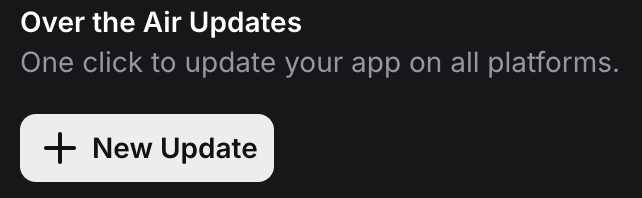
Click the "New Update" button to ensure your deployed code is up to date
 1. Click on **iPhone** or **Android** icon in the modal
2. Click on **Create a IPA/APK**
3. Once generated, download the file to test on your device
### iOS (IPA) Requirements
iOS apps require device registration before installation. Documentation for device registration coming soon.
For now, iOS testing requires:
* Registered device with a0
### Android (APK) Installation
Android is simpler - just download and install:
On your Android device:
* Settings → Security
* Enable "Unknown sources" or "Install unknown apps"
* Download APK via link or QR code
* Tap to install
* Grant requested permissions
## Key Differences from Mobile Testing
| Feature | a0 App / Expo Go | Native Build |
| ------------ | ---------------- | ----------------- |
| Build Time | Instant | \~2 minutes |
| Payments | ❌ UI only | ✅ Full processing |
| Updates | Hot reload | OTA updates |
| Distribution | QR code | Link or QR |
| Testing Ease | Immediate | Download first |
**Speed up your workflow:**
1. Test UI/UX in a0 app first
2. Build native only for payments/production testing
3. Use OTA updates after initial build
## Common Issues
Device registration required:
* iOS device must be registered with a0
* Use TestFlight as alternative
* Verify payment provider sync
* Check product IDs match exactly
* Use correct test credentials
* Review payment logs
* Enable unknown sources
* Check minimum Android version
* Verify APK not corrupted
* Try different browser/method
## Next Steps
Ready to go live? Follow the iOS submission guide.
Update your app instantly without rebuilding.
1. Click on **iPhone** or **Android** icon in the modal
2. Click on **Create a IPA/APK**
3. Once generated, download the file to test on your device
### iOS (IPA) Requirements
iOS apps require device registration before installation. Documentation for device registration coming soon.
For now, iOS testing requires:
* Registered device with a0
### Android (APK) Installation
Android is simpler - just download and install:
On your Android device:
* Settings → Security
* Enable "Unknown sources" or "Install unknown apps"
* Download APK via link or QR code
* Tap to install
* Grant requested permissions
## Key Differences from Mobile Testing
| Feature | a0 App / Expo Go | Native Build |
| ------------ | ---------------- | ----------------- |
| Build Time | Instant | \~2 minutes |
| Payments | ❌ UI only | ✅ Full processing |
| Updates | Hot reload | OTA updates |
| Distribution | QR code | Link or QR |
| Testing Ease | Immediate | Download first |
**Speed up your workflow:**
1. Test UI/UX in a0 app first
2. Build native only for payments/production testing
3. Use OTA updates after initial build
## Common Issues
Device registration required:
* iOS device must be registered with a0
* Use TestFlight as alternative
* Verify payment provider sync
* Check product IDs match exactly
* Use correct test credentials
* Review payment logs
* Enable unknown sources
* Check minimum Android version
* Verify APK not corrupted
* Try different browser/method
## Next Steps
Ready to go live? Follow the iOS submission guide.
Update your app instantly without rebuilding.